HTML Artifacts Need URLs
Thariq from the Claude Code team recently wrote about the unreasonable effectiveness of HTML as an output format for Claude Code. The argument landed because it names something many of us have been feeling for a while: Markdown is convenient, but it is no longer expressive enough for a lot of AI-assisted work.
When an agent is only writing a short plan, Markdown is fine. When an agent is helping you understand a codebase, compare design directions, annotate a PR, explore a system, or build a small custom interface for a decision, HTML is usually better.
That is exactly why I built Handoff.
Not because the world needed another static hosting product. Because people were already making HTML artifacts with AI, then getting stuck at the dumbest possible step: turning the file into a link. If that is where you are right now, here is how to share a Claude Artifact as a public link.
Thariq's companion gallery makes the shift concrete: twenty self-contained HTML examples across planning, code review, design, prototyping, diagrams, decks, research, reports, and custom editors. That is not a niche use case. That is a new shape for AI work. Handoff is built to share those same categories, see HTML artifact examples for Claude Code.
The screenshots below are from Thariq's article, "Using Claude Code: The Unreasonable Effectiveness of HTML," and are included here as source examples with attribution.
HTML is becoming the AI artifact format
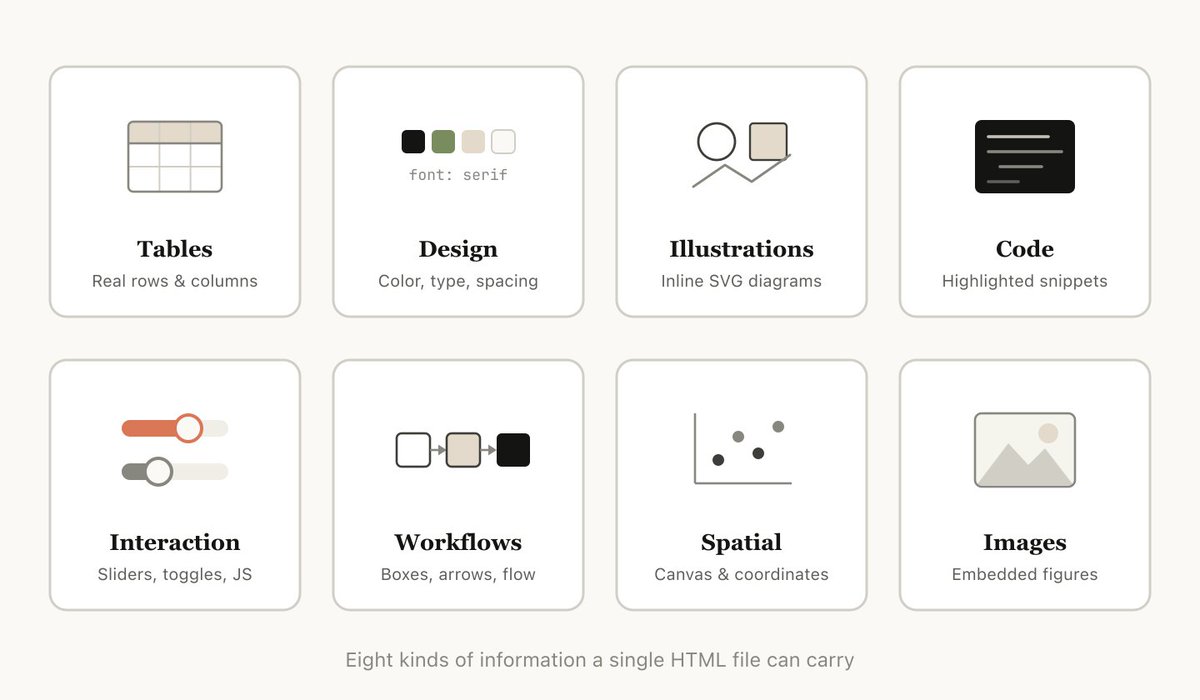
The important part of Thariq's post is not that HTML can look nicer than Markdown. It is that HTML lets the model communicate in the shape of the problem.
Source: Thariq, "Using Claude Code: The Unreasonable Effectiveness of HTML."
A Markdown file can describe a comparison. An HTML file can show the comparison as a grid.
A Markdown file can list findings. An HTML file can group them by severity, annotate the relevant code, and make the review path obvious.
A Markdown file can explain a workflow. An HTML file can draw it, color the failure paths, and let you toggle between states.
A Markdown file can give you a plan. An HTML file can combine the plan with mockups, diagrams, tables, snippets, and links so the reviewer can actually absorb it.
That matters because AI tools are producing larger, richer, more useful artifacts. The bottleneck is no longer "can the agent write enough?" The bottleneck is "will a human read this and stay in the loop?"
HTML helps with that.
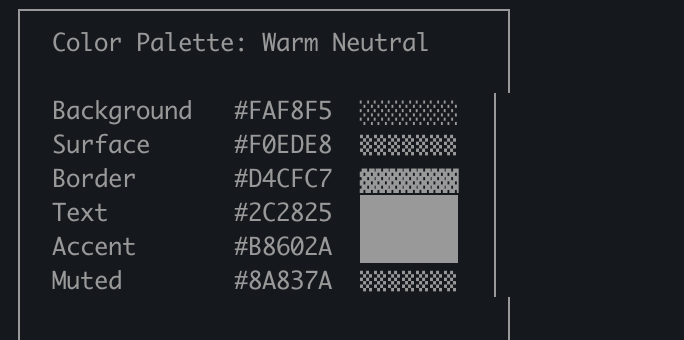
Markdown can describe a palette, but it cannot actually present the design surface the way HTML can.
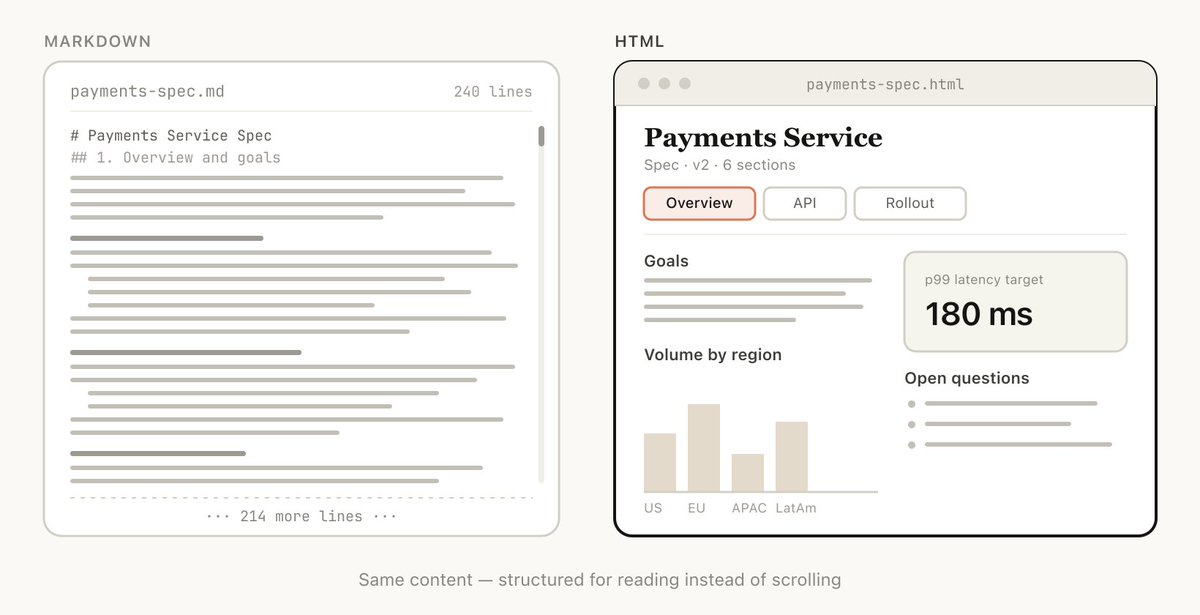
Same content, different review experience: HTML can make the artifact scannable instead of scroll-bound.
The sharing step is still broken
The moment Claude Code writes implementation-plan.html, you have a better artifact. But it is still local.
If you want someone else to review it, you have a few bad options:
- Attach the HTML file in Slack and hope they know how to open it.
- Send screenshots and lose the interaction.
- Copy pieces into Notion or a PR description and lose the layout.
- Deploy it to GitHub Pages, Netlify, Vercel, or S3.
- Keep uploading new files every time Claude revises the artifact.
That is a strange mismatch. Claude Code can turn a complex problem into a polished HTML document in seconds, but sharing that document still often feels like deploying a tiny website.
Most HTML artifacts are not websites. They are work products. They need to be readable, addressable, and versioned.
They need URLs.
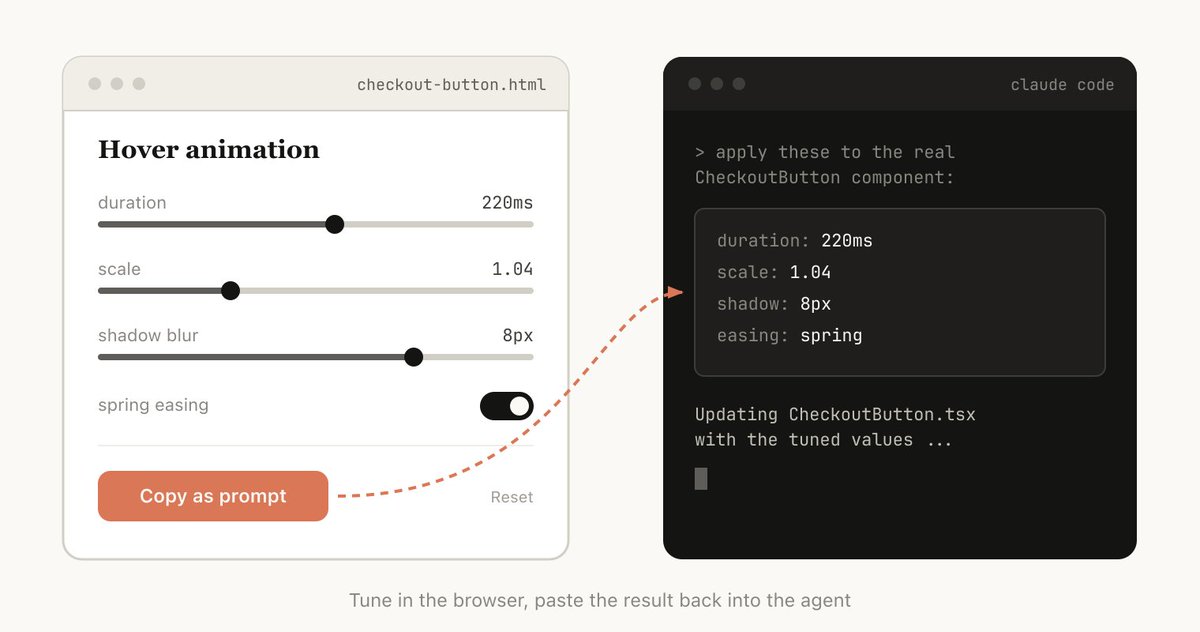
Two-way artifacts are where sharing starts to matter even more: the browser becomes part of the collaboration loop.
This is the last mile for Claude Code artifacts
The core loop now looks like this:
- Ask Claude Code to inspect the relevant context.
- Ask it to produce an HTML artifact.
- Read it, react to it, and ask for changes.
- Share it with someone else.
- Iterate again.
Step four is where too much friction still lives.
That is the gap Handoff is meant to close. You upload the HTML file and get a clean URL:
handoff upload implementation-plan.html --slug spec-review
handoff.host/@you/spec-review
Then when Claude Code revises the artifact, you upload again with the same slug. The URL stays stable. Handoff keeps the version history.
handoff.host/@you/spec-review        -> latest
handoff.host/@you/spec-review/v/1    -> original draft
handoff.host/@you/spec-review/v/2    -> revised draft
That matters because AI artifacts are iterative. The first version is rarely the final version. A link that always points to the latest artifact, while keeping older versions available, matches the way people actually work with Claude Code.
The best artifacts are meant to be shared
Thariq's examples make the use case concrete: HTML artifacts can be plans, explorations, explainers, playgrounds, reports, and custom editors. Those are not private scratch files. They are the things you send to teammates, reviewers, clients, and leadership so everyone can make a better decision.
The shareability changes the value of the artifact.
An HTML spec sitting on your machine is useful to you.
An HTML spec with a URL is useful to the team.
That is the part I think people underweight. The output format matters, but the distribution format matters too. If someone has to download a file, find it, trust it, and open it locally, many people will never read it. If they can click a URL on their phone, they might.
What I would ask Claude Code to make as HTML
Here are the artifact types I now think should usually be HTML instead of Markdown:
Implementation plans. Include architecture diagrams, code snippets, risk tables, and a phased checklist.
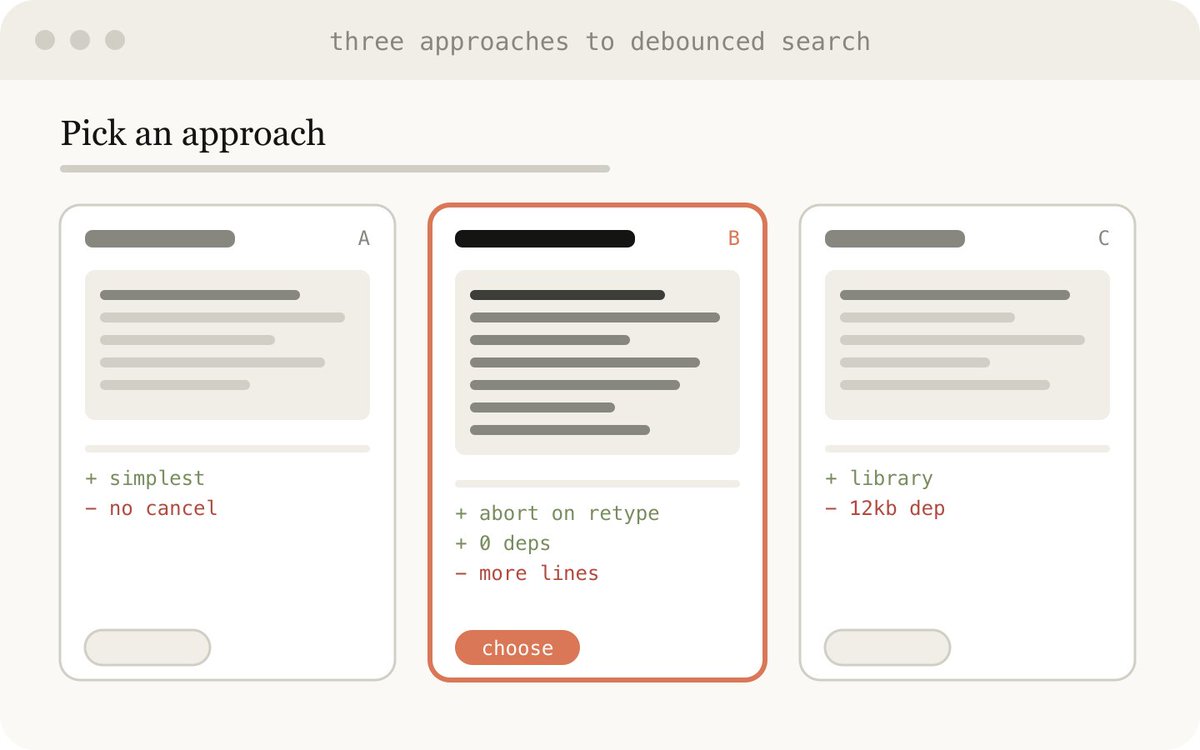
PR explainers. Show the actual diff context, annotate the important parts, and give reviewers a guided path.
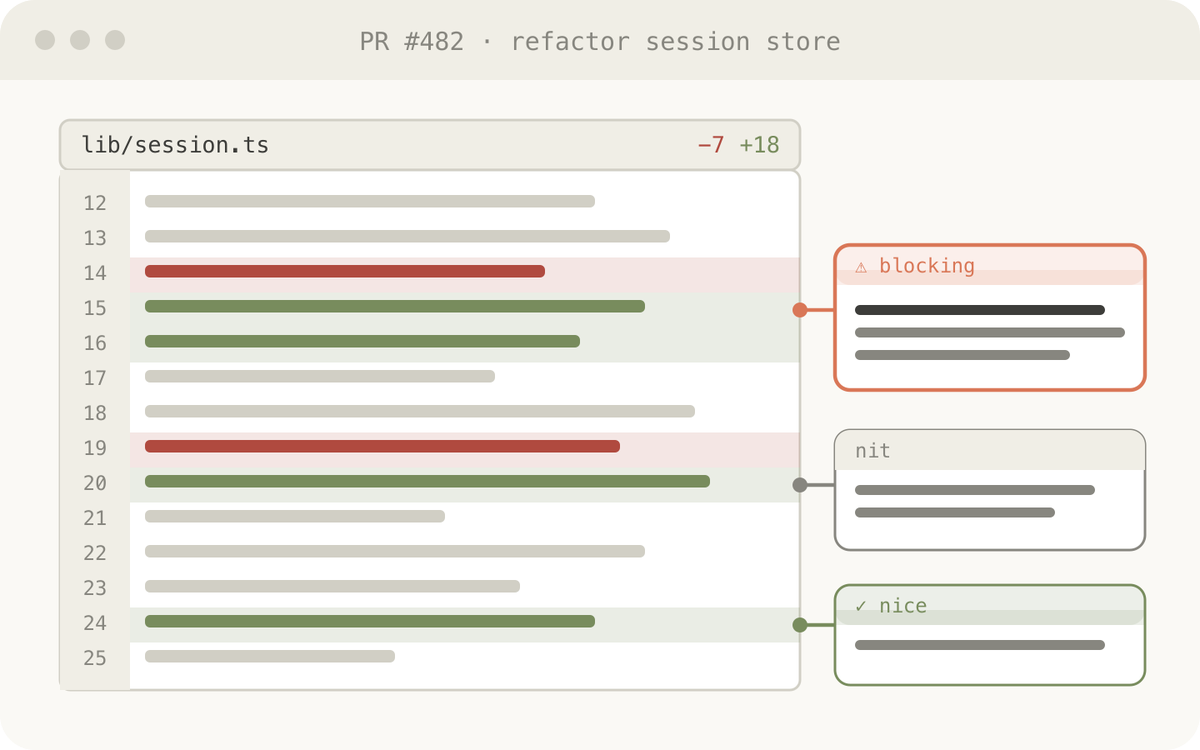
Design explorations. Put multiple directions side by side and label the tradeoffs.
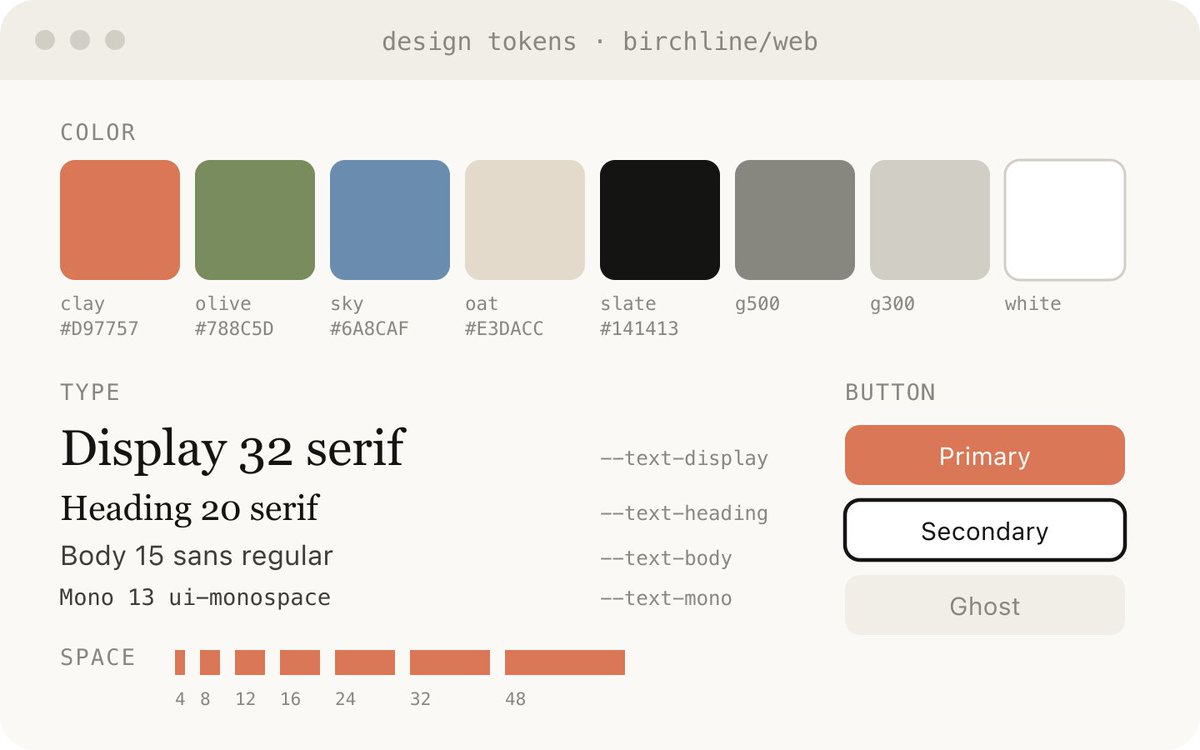
Research reports. Turn scattered files, git history, docs, and data into something a person can read once.
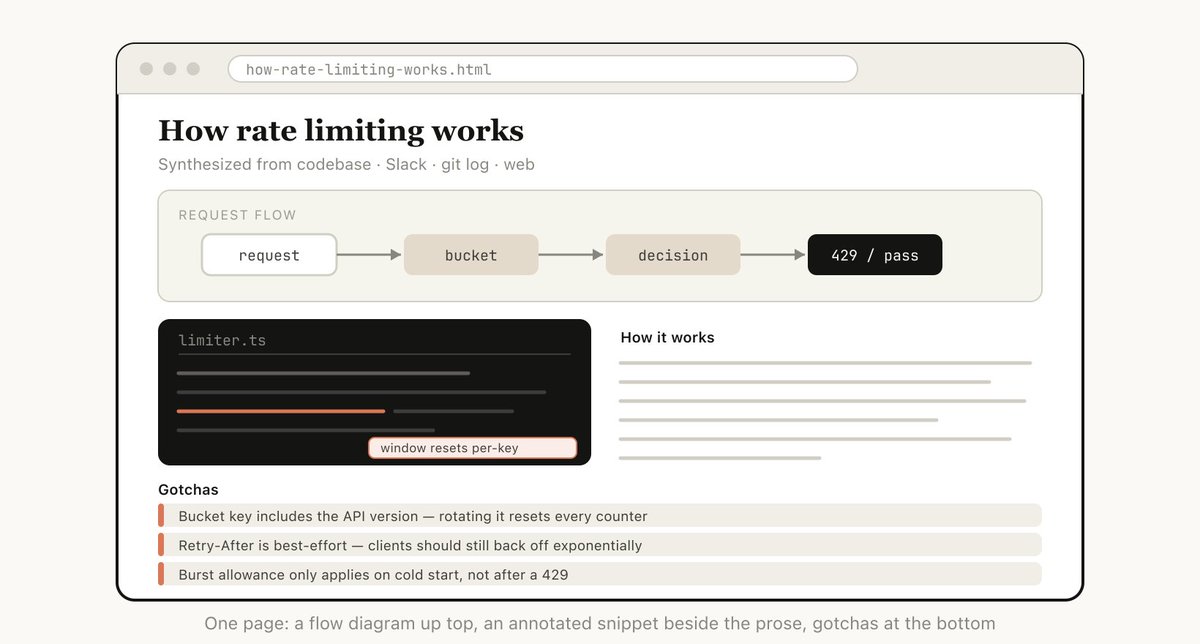
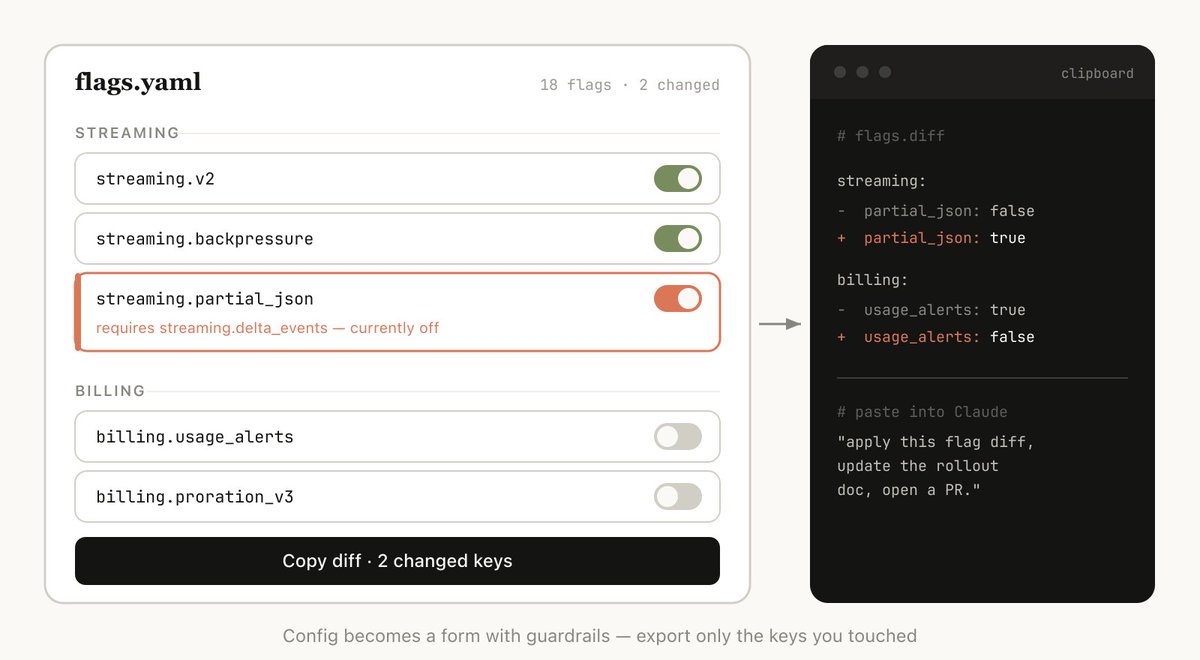
Custom editing interfaces. Build a one-off UI for reordering tickets, tuning prompts, editing config, tagging examples, or choosing visual parameters.
Slide decks and demos. Let AI generate a browser-native presentation or demo and share it without forcing it into another tool.
The common thread is that the artifact benefits from layout, interaction, or visual hierarchy. That is where HTML earns its extra weight.
The gallery proves the category
The most useful part of Thariq's page is that it is not theoretical. It shows the categories where HTML replaces a document people would otherwise skim:
| Artifact type | Why HTML works better |
|---|---|
| Exploration and planning | Multiple options can sit side by side with tradeoffs visible at once. |
| Code review | Diffs, call graphs, and review notes can be spatial instead of linear. |
| Design | Tokens, swatches, variants, and states can be rendered directly. |
| Prototyping | Motion, click-through flows, and controls can be felt rather than described. |
| Diagrams | SVG and layout make workflows easier to parse and reuse. |
| Decks | A browser-native presentation can be shared without a slide tool. |
| Research | Collapsible sections, tabs, and glossaries make dense topics navigable. |
| Reports | Charts, timelines, and callouts make recurring updates easier to skim. |
| Custom editors | A one-off interface can turn messy preference-setting into structured output. |
Source: Thariq's public example gallery, The unreasonable effectiveness of HTML.
That gallery also reinforces the practical point: every example is already an .html file. Once the artifact exists, the next question is distribution. Where does it live? How do people open it? What happens when it changes?
Markdown is not the enemy
Markdown still has a place. It is fast, diffable, editable, and easy to store in a repo. I still like it for READMEs, changelogs, short notes, and source-controlled docs.
But the more I use AI coding tools, the less I care about editing the artifact by hand. I care about reviewing it, sharing it, and asking the agent to revise it.
Once that is the workflow, HTML makes a lot more sense.
The question stops being "which format is easiest for me to type?" and becomes "which format keeps me and the rest of the team most clearly in the loop?"
For many AI artifacts, the answer is HTML.
The practical version
If you want to try this, do not overcomplicate it.
Ask Claude Code:
Create this as a self-contained HTML artifact. Use visual hierarchy, tables, diagrams, and annotated code snippets where useful. Make it easy for someone else to review.
Then upload it:
handoff upload artifact.html
That is the whole idea. Claude Code makes the artifact. Handoff gives it a URL. Your team gets something they can actually open, read, and discuss.
That is the missing layer I wanted when people kept sending .html files around manually.
HTML artifacts are better when people can see them.